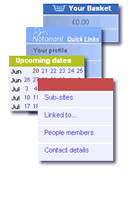
Upcoming dates
![]() Recently visited
|
||||||||||||||||||||||||||||||||||||||||||
Notanant - blogGoogle search engine continues to adapt10 Mar 2008 Google continues to change it's search engine algorithms to remove link directories (although links from link directories still seem to count), but more importantly it appears that it is now collecting and taking note of which links are clicked. This means it's important not just to be on the search engine listing, but also to have compelling copy in the title and description tags that encourages click through. In the past, Google used to rely on links and page content for it's rankings. Pages which has a good link networks because they were useful pages tended to be highly ranked. After the page rank, the actual page content becomes important - that is the presence of keywords on the page (at a reasonable page density so Google doesn't think you're spamming the page). Google had long given up using meta tags as valid indicators of page content, but now the title tag and the meta description tag seem to be vital to long term ranking success as Google has started monitoring and counting click through from the search links themselves. In the past, this never happened. Links were links and Google didn't monitor what was clicked, partly because of the enormity of the data collection problem and the need for massive servers to cope with the volume of data. But now it would seem there is a little bit of javascript connected with each page link that collects details of what item has been clicked before routing through to the actual page. This is starting to affect page rankings so that previous results with strong rankings because of link and page content criteria are now starting to drop down the ranking list because other links have a higher click-through rate. For webmasters, this means that aspects such as branding, title and the quality of the description to the search engine reader need to be considered more highly creating a compulsion to click as the definitive source for information on the search topic. Naturally, search engine spammers will get hold of this as they did with other elements: tuning page content to optimise keyword density, building link farms and link networks and now, presumably they will turn to or create an army of click through bods or bots (human or computer) as they are doing with form-spam onto comment boards. Notanant's automatic system builds good meta descriptions from your page summaries which seem to be effective on creating click through. These can also be hand tuned but our advice would be that if the description is the one you want seen on Google, then the chances are you want readers to see it too. Reworking the music industry05 Feb 2008 If you believe the financials then the music industry is pretty much in free-fall with no-one really sure how to tackle the problem of piracy and on-line distribution while still making money. Of course it's not a complete disaster - companies like Apple and iTunes are doing very well nicely from the music industry. It's just that the music companies are losing sales of physical media, face increasing problems with music sharing via the Internet. Increasingly the music moguls seem extremely greedy given the free distribution and neglible manufacture costs involved in music. Increasingly people don't see the problem with not paying or with sharing. Many people don't understand or quite accept the principle that for the music they did buy, they actually only bought a limited edition licence and not a copy to do with as they want. Radio stations share music, so it must be OK for me to share my music with my friends. The upside they always give is that this increases the number of listeners to particular bands or tracks and in the long run this will increase the number of tickets sold, or the number of future music sales. The music industry has tried and looked at per use payments, per computer, per medium, subscriptions all implemented with or without digital rights. They have closed down large numbers of music sharing sites and yet the problem won't go away. One reason is that music sharing is a social, rather than a technical problem. Technical solutions can be negotiated around (the music has to play somewhere, so someone can always record the output stream). Consequently, there is a need to find some clever social solutions. If you look at other copyright industries (words and film) there are basically three different distribution approaches. Firstly, is a packaging strategy - for instance books are typically released in hardback first, then in paperback. Copyright and sharing become less of an issue as people like to keep the physical edition even though they may never read it again. Similarly DVDs are often issued in different editions with different special features. However, at the moment, both DVD and CD packaging is extremely unimaginative - there is rarely a glossy binding or a combination music and book that would look good on a shelf or coffee table. Whilst this is a niche approach in the long run it may mean increased profits from physical formats. Secondly, there is an aggregation approach. For writers this means supplying magazines on a fixed fee basis, or for television or film, supplying channels with content. As a writer's reputation or the quality of programs rises, the fixed fee for the writing or program increases. The channel or magazine makes it's money by orchestrating subscriptions and advertising revenue. For music this would mean supporting the growth of content hubs with fixed fee arrangements. Currently, the music industry seems to be working against this preferring per track or per play fees that are the same irrespective of the quality or standing of the material. Thirdly there is a controlled distribution approach. Films are released to cinemas, then to DVD, then to TV for instance. By staging the distribution and controlling the format at each stage the company can control access to the music. A similar approach for the music industry would be release music to signed up subscribers first (eg in a high quality streamed format), then slowly build to a more general release accepting that the later products will need to be lower priced than the previous levels. This has a social benefit that if a fan pays to access high quality material, giving free access to a friend may not seem fair to them. However, bands and artists can build all these up for themselves online. A music collective can act as a channel for a number of bands and if each band has it's own space and is able to sign up subscribers and members then the musicians themselves can lift themselves up by the bootstraps. If the collective includes other artists then tracks or albums in physical forms can come with limited edition art work for instance. Notanant can provide the backbone by allowing bands to work together and bringing in members and then building links with others. Using HTML classes and ids with AJAX and javascript widgets15 Dec 2007 AJAX and javascript have moved people's expectations of how a website should work - click on something and rather than the page reloading some action happens - for instance a hidden part of the page shows, or a element can be edited on the fly (known as edit in place) or something can be dragged across the page. A common example of this is the increasing use of 'widgets' - elements on the page that added to the page with actions added to them by small (and not so small) pieces of Javascript and AJAX code. And there is an increasing amount of excellent javascript and AJAX codes and frameworks available to make sites more interesting. For instance we use FCKeditor, Prototype, Scriptaculous, and Barelyfitz tabber and trees. The need for a correctly designed HTML framework So for web-developers and content management systems this explosion of javascript and rich-web-pages presents a huge number of opportunities, but it also makes structuring an HTML document much more important. Without a good structure the different elements on the page in any position with actions applied to them will end up as an unmaintainable mess. To control the styling, coding and server integration of the widgets on the page it is essential to use 'class' and 'id' attributes correctly in properly structured HTML. An example Take an example, imagine a simple but fun system which allows the user to place any number of text box widgets and images on a page, to drag them around, resize them, edit them and save their changes all without leaving the page. Fully separable CSS via an HTML page framework The page should be 'skinnable' - that is you should be able to switch the look and style of the page with one click. So obviously it has to use separate CSS style sheets. Many designers pay lip-service to CSS without really understanding that the CSS should be entirely separable from the HTML. For some designers, they do use a separate style sheet, but to add an effect or look they will tweak the HTML - an extra 'DIV' here or there for example. A fully separated CSS realises that there is a difference between content, HTML structure and the CSS. The content could be anything - it's the user's choice. The HTML structure is the framework into which the content is placed. The CSS then styles via the HTML framework. A properly designed HTML framework canbe manipulated by the CSS to give any page look without affecting or relying on the content. For Notanant, users add content, chooses a layout and widgets on the page, the system adds the HTML framework and the web-designe is purely in CSS. The web-designer cannot touch the HTML. (Yes it makes the HTML more complex, but it's much more flexible and powerful). Adding javascript Now we add Javascript and AJAX to the picture. AJAX is simply Javascript that interacts with the webserver on-the-fly without having to load a new page. For instance in-place-editing which is then saved to the server without a reload. These dynamic elements should be a layer on top of the main content and, like the CSS entirely separable from the HTML. It cannot be assumed that a viewer will have Javascript turned on on their browser so the page and content need to be viewable and editable without the need for Javascript, so the Javascript needs to be applied transparently via separate .js sheets. Labelling widgets with classes, names and ids It's almost certain that the widget or element will be wrapped in a DIV. So these DIVs need an appropriate naming structure so the Javascript can find and link to them. Technically the standard attributes for naming a DIV are 'id' or 'class'. DIVs cannot use the 'name' attribute according to the strict definition of HTML. For people just focusing on HTML and CSS design it doesn't at first appear that there is a difference between 'id' and 'class'. Many web-designers liberally use ids because they're shorter in the HTML and easier to spot in the CSS and so have a preference for ids. However there is an important difference. Strictly speaking each id can only appear once on a page. In practice the browsers ignore this requirement allowing multiple use of an id in a similar way to the proper use of a class so there is no apparent difference. However, when you add Javascript and AJAX it becomes essential that you can reference a widget uniquely and that ids are used uniquely so that you can pass the correct reference back to the server for updating. So in this case you need to use 'class' to reference the type of widget and 'id' to indicate a specific widget. So how does the naming and integration work? Since there are several elements of the type 'text box' on the page, it means the Javascript needs to look for elements with a particular class and attach events to this collection of elements. For instance on a page with an unknown number of textboxes the naming might be: class='js_textboxevent'. Normally when applying classes to elements it's advisable to use two - one for the CSS and a second for Javascript. This allows elements with similar actions to be grouped whilst allowing different styling. In this example there could be banner-wide text boxes and narrow-column text boxes for instance. An AJAX edit-in-place action would be the same, but the styling would be different. Now consider how the AJAX part integrates with the server. In this instance the user has edited one of the text boxes. AJAX sends a request to update the webserver's database with the revised text, but how does the database know which text box entry to modify? It needs to know precisely which of the textboxes is being changed. If the user is using a link to change the element (so that in the event of the user not having Javascript they can still make the change), then the href in the link should be unique with regards to the get variables. However, the link needs to be written onto the page which may not be appropriate with some widgets. The alternative is that the widget is properly referenced via it's ID tag. That is the event is attached to a class, but the unique identifier is in the id. This gives you ...Textbox content...
This would conclude normally, but there is one last thing to consider. The id attribute can only contain letters, numbers, dash, point, colon and underscore. Conclusion: It's best to use 'class' for CSS to leave id free for Javascript and AJAX Why we're not Facebook11 Oct 2007 For people looking at social networking as it is now called (or virtual communities as we were describing it 7-8 years ago and started developing Notanant before Facebook or Myspace were around) there is, and to our minds, should be a lot of concern about privacy, lack of anonymity and intrusiveness about these forms of applications. Of course to the users of these systems it doesn't appear to matter at the moment, it's all part of the game - the childish thrill of waving at a TV camera, saying look at me, look at me. In reality this novelty quickly wears off. Membership of social networking sites continue to stay high (no-one is every unsubscribed), but minutes on the system goes down leaving developers chasing gimmicks to try to keep people coming back. Checking through Friendsreunited for instance a large number of profiles haven't been updated since 2001, and most not at all in the last 2 years. The same thing happens with other social networking sites like MySpace or Facebook. Eventually the people who make most use of the sites are those with something to sell or something to say. Mere connectivity isn't enough. Indeed for older audiences who are used to having a smaller number or closer relationships, it's not so clear that they buy into the craze for friend-swapping. Of more concern is the increasing intrusiveness of the sites. When we first found out that Facebook asks for your passwords to your email accounts we were amazed. Surely no-one would give this away, not only exposing your own private details to strangers, but sharing information and breaking the privacy of your friends too. Not only this, but Facebook makes it very difficult to skip this step - you feel obliged. Secondly, the sites place great stock in their questionnaires and trying to work out how people know each other to then build extra links. Great fun. Meet all the people you haven't seen for years. But what about all the people you didn't want to see for years? And the use of this information, just who is it for? Couldn't you write in your profile that you have children, or you like Radiohead? Of more concern is that the information is for advertisers rather than friends. And that brings me to the third problem, that of anonymity. Coming from a background in the ethics of market research surveys, where anonymity is paramount, it seems so strange how readily people give up their anonymity in tasks such as browsing, searching or using the sites. Yes, we can tell which pages someone visits on Notanant and we can share this information (you can also set your privacy setting to prevent this), but we feel that what they reveal should be down to the individual and not down to the system. You can get a trial site (we call them blipsites) from us without registering or logging on for instance. We want users and visitors to make their own choices, to build content that they find interesting and they want to share - not because it is just part of a generic questionnaire. We all have multiple interests and hobbies, so a single view is often not relevant. You should be able to have spaces (plural) to share the things you like and want to talk about. There is a reason why Notanant is called Not-an-ant.
Summaries, summaries, summaries04 Oct 2007 If you've got your Notanant website (to get a site go to www.notanant.com/tryit) , you will find that we do things differently. The first thing you have to get used to is that there is no 'administrator' section to start with. Notanant uses a where-you-are-is-what-you-edit type approach - similar to Wikipedia but we were doing it before Wikipedia. That means if you are a site owner and you want to edit a page, you just choose Edit the page and edit away. Want to add something, you choose Add a page (or other content type) and start something new. While you're doing this, Notanant manages all the linking and menus automatically so you don't have to go back to previous pages to add in hyperlinks to the menus every time you add a page. Once your site gets big, this invariably leads to link spaghetti and adding just one more page requires modifications to 99 existing pages to add the link back in. The simplicity and obviousness of this can be a bit disconcerting at first - "what I just edit the page and that's it done?". But once you get over it, it's second nature - isn't that how websites should be created? As a contrast, we had to convert a site from Yahoo's Geocities the other day and it was so painful to get it to do want we wanted with everything handled as a loose connection of pages. You can see why mainly of these sites don't stretch to more than 5-6 pages. Anything more would be torture. Now the way Notanant works is that it behaves intelligently towards the content you add. Each page or content area has a title (this is used as the link in menus - makes it consistent for the user), a summary area and a main content area on the page. For people new to the site, there doesn't seem to be much difference between the summary and the content area, they both display the same on the page when you create or edit the page. However, there is a difference. On Notanant, the summary is special. It feeds through into menus and components to add an introduction beneath or by the side of a link. It is also used by the system to help search engines know what keywords to look for on the page automatically (in advanced options you can override this with your own, but the aim is to keep it simple). So if you are building a page, the advice is to use the summary for the first 2-3 lines of your article or page, then use the main content area for the rest of the page. It still reads the same on the page, but it makes menus and indexes work better. It is also generally a good writing style for the Internet as you never know which page someone will start on when they come to your site and the first thing they will read will be the content at the top of the page. So, like writing for newspapers, if the first paragraph summarises the content, the reader can continue browsing or read on for the rest of the article having decided they are interested in the content. So on Notanant, summaries are important. Use them to help the reader navigate and find the content they want to read. If you have main text, include it in the main area, then make sure the summary is completed. Why privacy is the next battleground03 Jul 2007 Finally as the internet world is getting interconnected, web applications are getting more interesting and more fun, but there is are dark clouds appearing on the horizon. The point of development of the social internet at the moment is a bit like a big street party, every one has heard the music, seen other people having fun and has moved out to the street to proclaim their new on-line liberation. Jump in, share things, tell everyone about yourself and link up. Now a few stallholders are appearing to service this street crowd, the noise and festivity is attracting street preditors. People who you think are out there to have fun, but actually may be their to make money, some of it unscrupulously and some hidden behind masks of respectability. To use the street party analogy the snake charmers, hooch sellers, find-the-ball charlatans are moving in on the patch. The questions of who you should trust and who can you trust are coming back again. And that's why privacy is starting to hit the agenda. We want the street party, but with our friends, not those who have come to beg, borrow or steal. The public profile may be too public. Our willingness to allow friends to join our network too dangerous in letting the charmers and confidence tricksters into our midst. Like email, a good thing is being subverted in front of our eyes. What this means is that control and privacy become paramount - it's essential that we as individuals can control our own data and who sees what. We may need to be more cagey with the details we share or who we share with. But for web2.0 technologies increasing need for privacy control starts to present problems where applications are built across sites (eg combining Youtube and Myspace and Fickr) in what are now known as mash ups - privacy controls don't cross boundaries. Setting privacy control and access in one area doesn't impact a different area, or requires several sites settings to be updated or changed. Or you just don't bother. Because of the privacy problem, although mash ups will continue to happen particular on non-personalised information, cross-site mash-ups with personal information may become less effective. Already companies like Google, Microsoft and Yahoo can see the problem coming. To make the next generation of combined applications (like Notanant), they have to have everything in house. Already they are buying up the real estate to make this happen and are looking to integrate their back-end systems. Behind the scenes they are now able to link who you are, with what you search for, with the details you put on your blog sites, the pictures and videos you have. In commercial marketing and sales terms this is an unprecedented amount of data about individuals. The question is whether you realise this is what they are doing (transparency is a big shortcoming of all three) and whether you are happy for what are increasingly advertising companies (even Microsoft) to have this information about you. Maybe we trust them, but increasingly they are the companies that are placing a salesman constantly on your shoulder. Why searching with Google is getting harder12 Mar 2007 Anyone who is interested in developing commercial websites has to design and think in terms of how the sites will work with regard to the major search engines, and in particular how Google will treat and find the website. One key area that you look for is the number of inbound links coming in to your site - and if you write good interesting stuff then people will link to you, in addition you'll find yourself included in some of the thousands of on-line directory and search sites. To look at how well your site is doing you simply enter your site name or your site's unique keywords in to the search engine to see who is referencing you. Before the end of 2006, Google was easily the best search engine for this. If you searched for Notanant (which is a relatively unique word on the Internet which helps with the search) you would find not just the Notanant site itself and all our customer and demonstration sites, but also all the pages that contained the word Notanant. This meant you could track how awareness or reach of the Notanant brand was spreading through the Internet world. Since the end of last year though, Google has changed it's algorithms (it always keeps changing the algorithms so this is nothing new), and this time if you type in Notanant you will get a much more limited set of positive hits. Yahoo and MSN still show a wide variety of hits containing the word Notanant, but Google has restricted them to a narrow band. For a developer this looks worrying because it looks as if Google might not be doing a complete crawl through the Notanant site. But actually what is happening is that Google simply isn't showing you it's full set of search results. If you do a search on "Notanant" "templates" then you suddenly get a different set of answers and results seeing sites that obviously contain the word Notanant but which were not previously listed in the previous query. In fact if you pair Notanant with any other search terms or keywords it is possible to see that Google is doing a very thorough indexing job, but it is no longer providing a full set of result to the person searching. As our sister business is involved in data collection and market research this is a little worrying. One of the most powerful elements of Google as a professional search engine was the ability to track down hidden nuggets of information among all the standard links and answers because of the comprehensiveness of the Google search. As Google becomes more consumer friendly and only delivering the most relevant answers to the user (which actually makes it very very useful in everyday circumstances), the increased need to drill down and guess additional keywords to get the necessary detail may mean that on a professional level, our sister company will need to go back to using several search engines to cover a market or sector and not just rely on the comprehensiveness of Google. HTML and CSS myths09 Dec 2006 When you're building or designing a web-site one of the core elements is the separation of content from style. For many in web-design community this equates to the separation of HTML from the CSS which controls the look of the page. Not only this, but because of issues about accessibility there is also debate about the purity and style of HTML that pages use. The separation of content from display is extremely important - without it Notanant wouldn't be able to display the page in the way that it does and it is essential if you want a site that can be easily editted and managed into the future. But not all HTML and CSS separation is the same. It is perfectly possible and common for designers to so closely tie the CSS to the HTML that sites and pages break if you were to change anything about the content, or anything in the CSS. How does this apply to site users? If you're say adding a new product or redefining the images, or rewriting the text on your site, if HTML and CSS are so tightly linked then you will have to edit both to be able to make changes. Which would normally mean going back to the webdiesigner to make even simple changes. In addition there are now a number of pseudo-myths starting to emerge about how HTML and CSS have be used to be 'proper' pages (yet you have to remember that one of the reasons HTML became so widespread was because it was so easy for anyone do create webpages without worrying about these niceties). There are two main myths. The first is that CSS can solve all your page-layout and display problems. It can't. At the moment there are display decisions which can only be taken in HTML - for instance the presence and marking of columns in text, and secondly the position of navigational elements on the page. CSS can work to a point, but cannot create a page which is perfectly optimised both for sighted and non-sighted communities. For people selling products or with high volumes of visitors where easy of use are major concerns these are serious limitations of CSS. The reason for the myth is because there is a lack of appreciation that information format affects how the content needs to be used. Written text for instance is different from spoken text. The way a book is written and laid out is completely different from the way a newspaper column, or more extreme a news article are written. The content itself is adapted to the format (the medium is the message). As content moves across media it's format needs to be adapted because the way the information is consumed changes. So a sighted community uses a whole page layout not just as containers for information, but as sgnposts to what information is important and how to scan the page - the information exists in 2D. In an audio world the information exists in 1D as a linear format. Navigation is the most obvious example where in a 2D world, position and format of navigation is an essential key to where to go and what is most important. However it also affects things like story priority on a page and incidental information such as side-bars. Converting this 2D-ness into a 1D format for speech readers is not a CSS question, but is more fundamental about the page layout. This doesn't just affect speech-read pages, but also pages served to small devices such as mobile phones or PDAs. CSS only doesn't solve this. The way we approach this problem is to reformat the data and options to the device in question. Notanant can be viewed on a WAP browser (www.notanant.com/wap.php) or an individual can choose their own accessibility settings according to their preferences. The second myth (connected to the first) is that there is are certain unbreakable 'rules' about how HTML should be used. For instance there is a myth that header tags H1 to H6 should always start with 1 and end with 6. This is a mistake made because designers don't see the page as part of the site. If you open a book you will find titles at the top of each page referring to the book itself. What sort of tag is this? It's not an H1? This myth also means that designers enforce inappropriate designs on the content to fit the HTML rule. But at the moment there are places where you have to choose between different HTML hacks to get the layout you want - for instance a floating DIV hack as opposed to a TABLE hack. Yes the HTML should be as clean as possible to help all forms of access, but the way information is used is a combination of content and layout, not one alone. As mentioned above, if you want to be fully accessible you have to tune the content to the device which can't be done just with HTML and CSS. Instead you have to conceive of sites which are not just pages which is what we've done here. Why we use a table as part of our master layout29 Nov 2006 If you're not part of the web-design community little things like how a web-page is constructed, the way you write HTML and the mark-up you use, will seem odd. HTML after all became popular because it was quick and easy to use for any one to share content, you just needed to know a few tags and you could get a site up (maintaining the site is a different matter). At the moment the trend among website builders is towards semantic purity - a particular view of how HTML should be used to construct a page - or doing things properly. The reason behind this is a desire to improve accessibility, so those people with little sight can increase font size to make sites easier to read, and those with no sight can use screen readers to go through the HTML and find the relevant parts quickly and easily. However, for some in the web design community, HTML purity is also a point of competitive differentiation. That is they sell their skills on the basis of accessible HTML, so it is in their interests to poo-poo any other ways of doing things. So we sometimes get comments from a few people in the web-design community who get very picky about the way in which a web-page is constructed who inform us that using a table structure for the master layout is 'not right' and we should be using Divs. Now one purpose of this HTML purity is the ability to separate content (that's the HTML) from the way it is displayed on a particular browser or browsing device. To maximise access you control the display of a page using cascading style sheets (CSS). Notanant entirely separates content from display. Every page we put up is completely dynamically created from content on the database, the page layout is dynamic and user controlled, the menus are dynamic dependent on where you are and who you are. What we then do is overlay different style sheets to control how the page looks (see our templating examples to see how we can switch pagelooks without touching content). Now because Notanant has no control over content (and that's the way it should be - the user controls content), we use very rich style sheets to control the way the page looks without interfering in the content. However, one penalty we've found in this flexibility is that if the page is entirely created with Divs it can be very easy for user content to break the page - that is the page doesn't display properly, or worse crashes the browser (Divs and floats can overload the browser if the page shrinks too much). For web-designers creating static or relatively static templated pages (eg the user can only affect the main area), then these designers can tinker with the HTML and CSS to get things just right. But for fully dynamic sites where everything is an option you can't apply the same rules because a page that crashes is inaccessible to everyone. Consequently, the more robust way we've found is to use Tables as the master layout and then to float Divs in the tables. We have tried and have the code for table-less pages, but it's actually not secure enough over the range of content that will be thrown at it. And in this regard, most of the major websites (eg BBC) tend to use table frames for the master layout. So where does this leave accessibility? In practice here at Notanant we're at the point of realising that proper full blown accessibility can't be left to HTML and CSS alone. CSS and HTML themselves are not cleanly enough separated for this to work and there are problems with the rules that CSS uses that actually can impede accessibility. A few examples: when we read text the line length is a determinant of how easy or difficult it is to read - that's why newspapers have columns. To create columns in HTML you have to force the break points in the HTML - you can't set it from CSS, consequently you have to make what is a design design (where to add a column break) in the HTML. This violates the separation principle. Secondly, CSS as defined consists of a set of boxes. To get things like navigation columns which make the site more accessible for sighted people, you have to use floats and fix widths. Because of the way the box model is specified, if someone changes font size or is using a smaller screen size it is extremely common for images to collide with text on the screen, or for the box to cilp the content. In both situations accessibility is greatly reduced because you can't read the content, or worse content is not displayed. Again this is a bigger problem with dynamic content than with static pages where the CSS can be tweaked to the content (which is technically tying content and display together and therefore not good practice. By the way, if you look through our CSS templating systems, you'll see we have spent a lot of time using and working with CSS, so these aren't the comment of people who have tried CSS and given up. A third big problem is about the placement of navigation. Depending on who is using the site and how they are accessing pages then the page navigation needs to be in different places (or in multiple places). For instance if you are browsing via a mobile phone it is more useful to have navigation at the bottom so you can see the content first to understand if it's the right page, rather than always having to scroll down to see the content, then scroll back up to go to the navigation area. Consequently our WAP output (www.notanant.com/wap.php if you can browse WAP) changes the location of the navigation. The same problem faces you if you use a screen reader, but here it is more a question of personal preference. You cannot have flexibility on this using CSS since the placement of navigation is part of the HTML. So normally navigation is placed at the top of the HTML. CSS can make this a header or a left or right column. But it is probably more useful to have navigation at the end of the HTML. CSS struggles to place this correctly for sighted-versions of the page (you don't use absolute positioning since you want the user to have flexibilty over font size, and the site builder to have flexibility over the amount of content). What this means is with the current HTML and CSS structures, full accessibilty is not really a question of the right HTML and appropriate style sheets. This has the danger of limiting accessibility for sighted people. The answer we believe is that you actually need to go one stage further and drive the content to the format that is most appropriate by dynamically changing the HTML (and, if necessary the CSS). Users should have options not just on font size, but also on where navigation is placed, whether images are shown and so on. We are working towards adding these options to Notanant. |
||||||||||||||||||||||||||||||||||||||||||
|
|
||||||||||||||||||||||||||||||||||||||||||